


Retrobit™ H Model
Retrobit™ H Model
🎮 Endless Fun – 5,000 classic games pre-loaded!
🖼️ Retro Vibes – Classic games from PSP, PlayStation 1, Nintendo DS, Game Boy Advance, all Sega systems and more
⚡ Long Battery Life – Enjoy 8+ hours of gameplay with a single charge – no interruptions.
💾 Memory Card Support – Add an expansion card to play all the Pokémon and Nintendo games.
BUNDLE & SAVE
Couldn't load pickup availability
-
Ordered
- - -
Order Ready
- - -
Delivered

Retrobit™ H Model
⚡Retrobit™ H
⚡Retrobit™ H
The Retrobit™ H is designed for gamers who want the classic experience in a sleek, portable form. With a clear 3.5" IPS display and a crisp 640×480 resolution, your favorite retro titles look vibrant and sharp, whether you’re gaming on the go or plugged into the TV.
🎮 Supported Systems
🎮 Supported Systems
The Retrobit™ H can emulate 30+ consoles and handhelds. Performance will vary by system and game, but here’s what you can expect:
- NES – Runs flawlessly with no issues.
- SNES – Full speed, excellent compatibility.
- Game Boy / Game Boy Color / Game Boy Advance – Smooth performance across all titles.
- Nintendo DS – Very good, most games play well.
- Nintendo 64 – Playable, though demanding titles may need tweaks (frame skip / resolution changes).
- Sega Genesis / Mega Drive – Perfect emulation.
- Sega Master System / Game Gear – Fully supported.
- Sega Saturn – Some games work; performance varies.
- PlayStation 1 – Excellent support, nearly all titles play smoothly.
- PlayStation Portable (PSP) – Runs many games well; heavier 3D titles may require reduced settings.
- TurboGrafx-16 / PC Engine – Strong compatibility.
- Neo Geo / Neo Geo Pocket / Pocket Color – Fully supported.
- MAME / Arcade systems – Many arcade classics run great.
- Atari systems (2600, 5200, 7800) – Supported with correct emulators.
- MSX / ZX Spectrum / Commodore – Supported through available emulators.
📶Controllers, Multiplayer & TV Connection
📶Controllers, Multiplayer & TV Connection
📡 Bluetooth Controller Support
The device features Bluetooth
2.4GHz, allowing you to pair most modern wireless controllers (DualShock, DualSense, Xbox, 8BitDo, etc.).
How to pair:
- Open Settings → Bluetooth → Turn On on your console.
- Put your controller into pairing mode.
- Select it from “Available devices” and confirm pairing.
- Ready to play! You can also remap buttons inside emulators like RetroArch.
👥 Multiplayer Setup
- Supports multiple controllers for local co-op.
- After pairing one controller, simply repeat the pairing process for a second, third, or more.
- Wired controllers via USB are also supported in many emulators.
- Don’t forget to enable multiplayer input devices in emulator settings so all controllers are detected.
📺 TV / External Display Connection
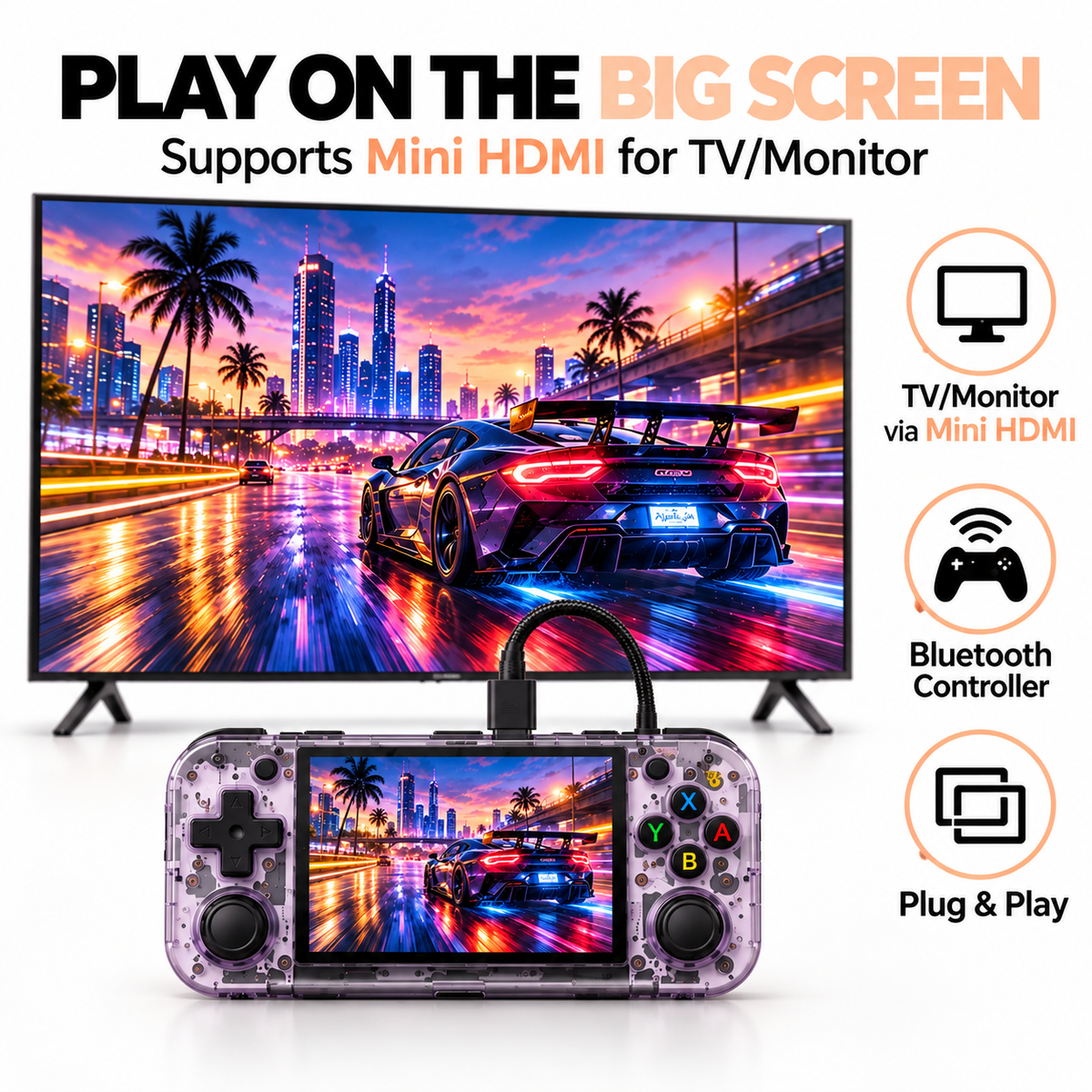
- The handheld supports 1080p video output through USB-C with DisplayPort.
How to connect:
- Use a Micro-HDMI adapter or cable.
- Plug into your console and then into your TV/monitor.
- Switch to “Project Desktop” or “External Display” mode for smoother performance.
- Launch your emulator or app — now you can enjoy gaming on the big screen.
✅ Pro tip: Pair Bluetooth controllers first so you can use the handheld like a console hub when connected to TV.
📥 How to Add Games
📥 How to Add Games
Legal note: Add only games you own (backups), public-domain titles, or homebrew.
Option A — Add games with an Expansion (microSD) Card
- Power off the Retrobit™
- Insert the microSD (TF 2 slot) card with your games into the card slot.
- Power on, then open the folder with the TF2 slot and the games are preloaded.
Option B— Add games with a computer & microSD adapter
- Power off the handheld and remove the microSD. Insert it into a microSD→USB adapter on your PC/Mac.
- (Optional but recommended for 64GB+ cards) Format as exFAT to avoid the 4 GB single-file limit of FAT32—use default allocation size.
- Open the root of the card and you will see the folder layout:
/ROMs/NES/
/ROMs/SNES/
/ROMs/PS1/
/ROMs/PSP/
Then copy your game files into the matching folders. (Simple, system-named subfolders are what the launcher expects when you map paths.) - Safely eject the card, reinsert it in the handheld, and power on.
- The games will be automatically preloaded


Customer Videos
Retrobit™ Nostalgic Gaming on the go, Anywhere, Anytime!
Retrobit™
⚔️Multiplayer Battles and Trades
Relive the excitement of classic multiplayer gaming! The Retrobit™ allows you to challenge friends, trade items, and battle through Wi-Fi, keeping the fun alive in competitive or cooperative play.
Retrobit™
🎮 Easy Game Expansion
The fun never stops! Download ROMs online and add them to the Retrobit™ H Model via a microSD card. Create your ultimate retro gaming library and take your favorite titles anywhere.
Retrobit™
🛜Bluetooth Compatibility
Go wireless! Pair Bluetooth controllers or headphones for a hassle-free gaming experience. Whether you're playing solo or with friends, enjoy the freedom of wireless connectivity.
Retrobit™
📺TV-ready with Micro HDMI
Take the action to the big screen! Use the Micro HDMI port to connect the Retrobit™ to your TV or monitor and enjoy your games in stunning detail, making every pixel count.

over 10,000 Happy Customers


Testimonials
-

Childhood Memories Revived
The Retrobit H model has a magical way of transporting me back to my childhood. Its horizontal design is so reminiscent of the GameBoy Advance that I couldn't help but feel a wave of nostalgia wash over me. The build quality is top-notch, and the buttons have that satisfying click that I remember from my younger days. The screen is crisp and bright, enhancing the classic games without taking away their retro charm. Playing on the RG35XX H feels like meeting an old friend—familiar, comforting, and immensely enjoyable. If you cherished your GameBoy Advance, this handheld will bring back all those wonderful memories.

-

A Trip Down Memory Lane
As someone who grew up on Gameboy Advance, N64, and the PS1 the Rg35XXH Model is a dream come true. There is so many new games out there but I find that I am more attracted to the games that I fell in love with when I was a kid. This console is perfect, If you get the expansion card with it, there is no set up needed, just pop the expansion card in the TF2 micro SD card slot and you are good to go! This console is a must-have for anyone who loves retro gaming, and with the expansion card, you will have all the pokemon and Mario games you want!

-

Pokemon Rom Hacks on the Go
I bought the expansion card hoping that it wasn't a scam. The card arrived first and the console came about a week later, but it was worth the wait. I inserted the expansion card in the TF2 slot and pressed the reset button and turned on the device and it came with all the Pokemon games and Mario games like advertise. Its really fun playing ROM hacks, and to have the games preloaded on the expansion card was amazing! I bought the 256GB so that I don't have to manually load ROMS, and it was well worth it. It's nice and compact and fits in my pocket. I dont leave the house without it. Getting a 5 minute gaming session in is so easy with this, and with save and load stats, it makes pokemon so much fun!


Explore More Powerful Retro Consoles
-
Retrobit™ Cube
Regular price From $499.99Regular price From $499.99 Sale priceUnit price per -
Retrobit™ Elite
Regular price From $499.99Regular price From $499.99 Sale priceUnit price per -
 SAVE 38%
Retrobit™ Elite (mini)
Regular price From $429.99Regular price From $429.99 Sale priceUnit price per$699.9938%


